Answers for your customers
Available after setupWebsite chat, after setup and a passed quality check.
- Answers name their sources.
- You decide which sources are public.
- Your team takes over when something is unclear.
PUT KNOWLEDGE TO WORK. KEEP PEOPLE INVOLVED.
Customers ask. OpsBots finds answers in your approved sources — and your team takes over when a person is needed.
14 days free, one trial per business. Card required. Your selected plan renews automatically after the trial unless you cancel beforehand.
Yes. Saturday collection is available from 09:00 to 12:00.
Sources
Happy to pass your request to the team. Leave your name and email address; a phone number is optional.
OpsBots shows a short contact form: name, email, an optional phone number and a consent tick.
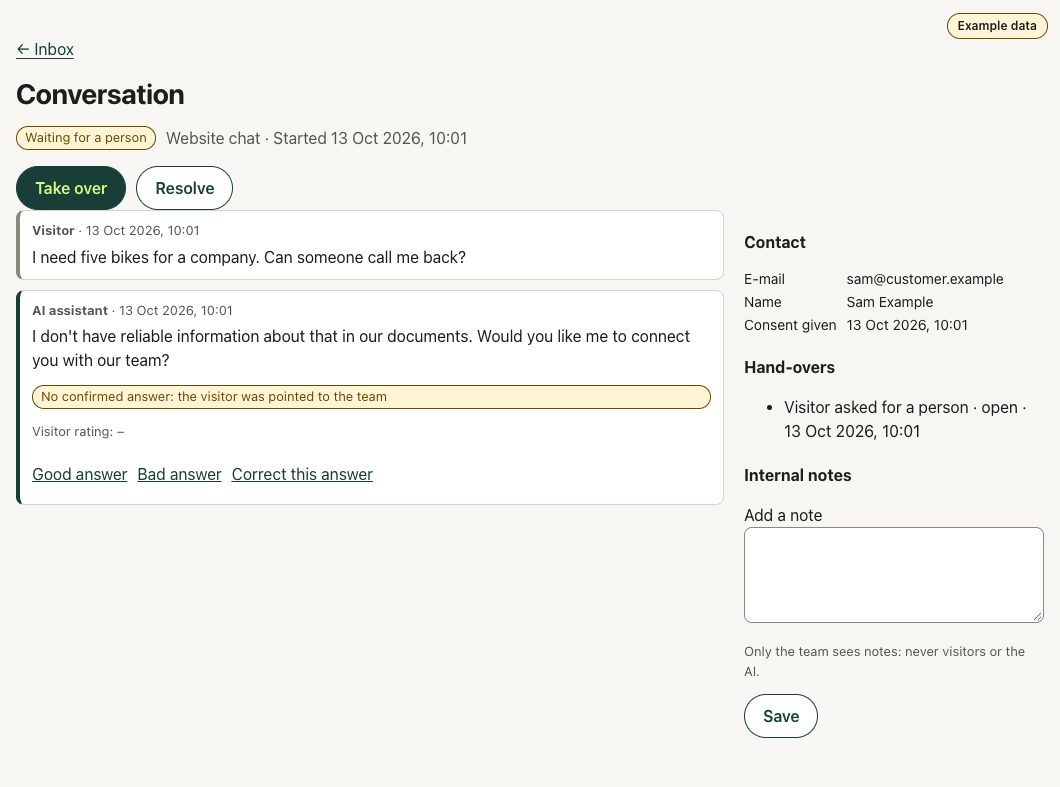
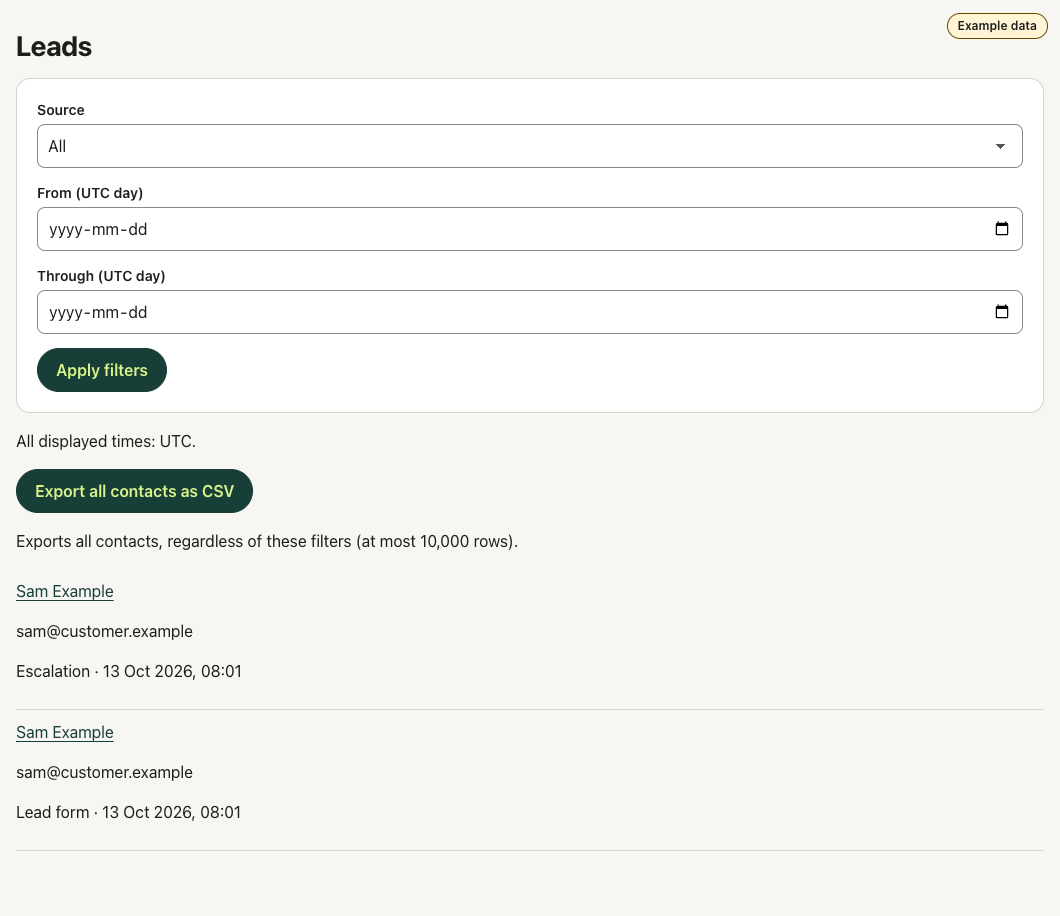
The request appears in your lead list; your team can take over the conversation.
How it works
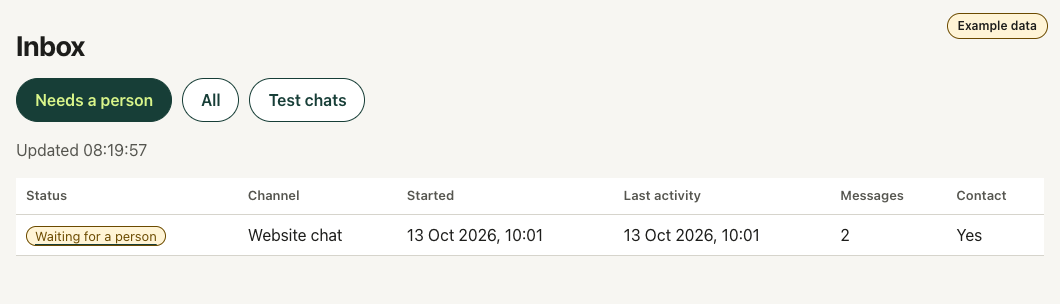
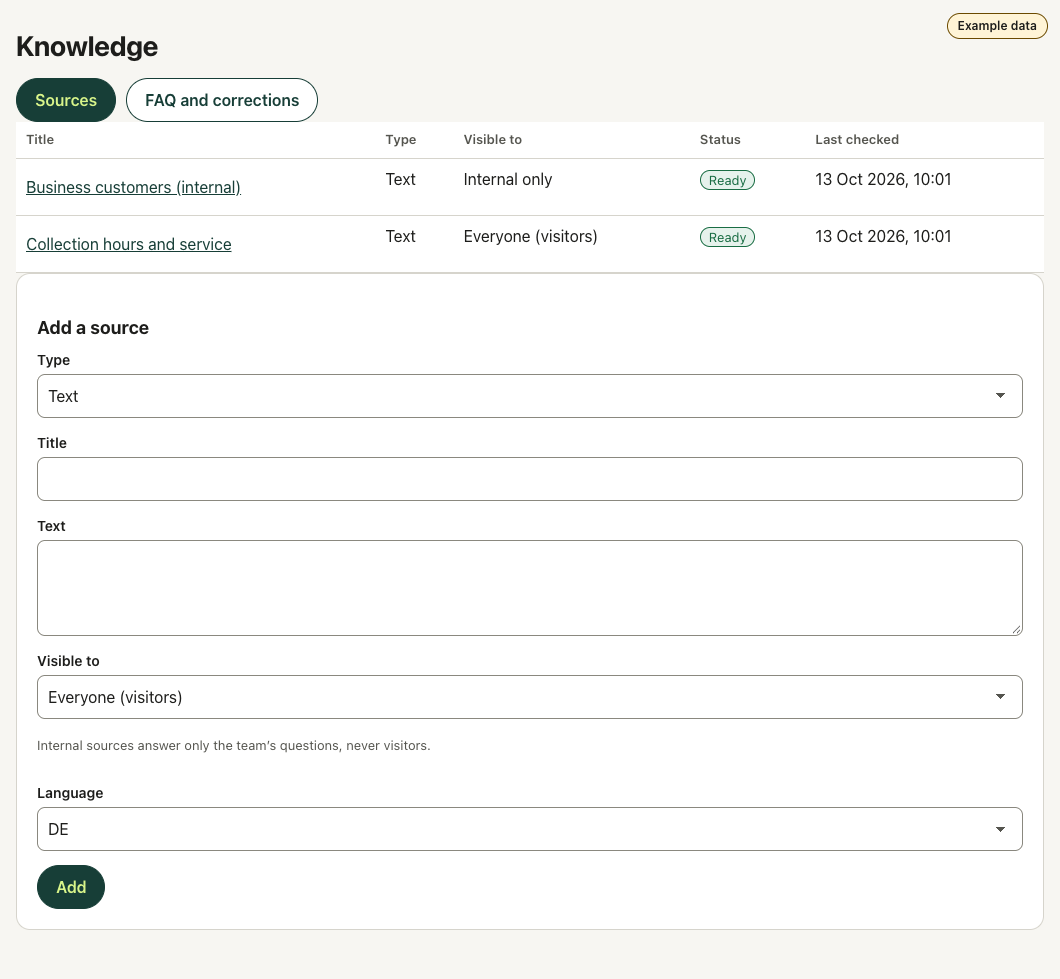
Your website, documents and your own questions and answers.
Set visibility, check answers and complete the quality check.
Paste the embed code into your website. Guides for WordPress, Wix, Shopify, Squarespace, Webflow and Google Tag Manager.
Handle enquiries in the inbox and improve your knowledge.
Website URLs and sitemaps, PDF, DOCX, text, Markdown and your own questions and answers. Public and internal content stay separate.
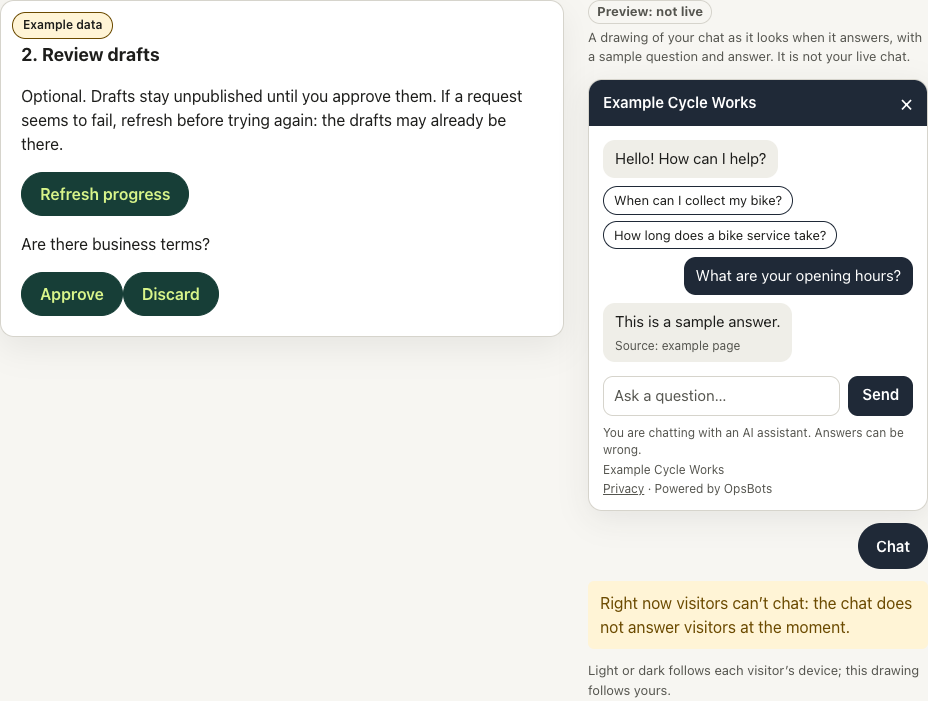
Next to setup and the chat settings, a preview shows your chat with your colour, greeting and approved questions. It updates as you make changes.
Services
Website chat, after setup and a passed quality check.
The chat takes enquiries with a short form or shows your booking link; enquiries land in your lead list.
Team questions in the admin test chat; internal knowledge for email drafts (Pro). No staff app, no Slack or Teams.
Where OpsBots answers, with a clear status per channel.
Answers from approved public sources. Review and test before enabling it on your website.
Available after setupDrafts for your team to review. Your Google Workspace administrator must trust the connection. No automatic sending.
Assisted setupNot available yet; no activation date promised.
PlannedNot available yet; no activation date promised.
PlannedWhen you connect a Gmail mailbox (Google Workspace, on the Pro plan and in the trial), OpsBots reads its messages and threads to find emails that need a reply, and writes reply drafts into that mailbox for your team to review. OpsBots changes or deletes only its own unchanged drafts and never sends email, although Google's consent screen mentions that the drafts permission would allow sending. The message text goes to the AI model and search provider named in the provider list and is kept for the periods in the privacy notice. The emails also appear as conversations in your OpsBots inbox. Disconnecting the mailbox deletes the stored access token; you can also remove OpsBots' access in your Google account.
OpsBots' use and transfer to any other app of information received from Google APIs will adhere to the Google API Services User Data Policy, including the Limited Use requirements.
Website URLs, sitemaps, PDF, DOCX, text, Markdown and your own questions and answers.
Approve your sources, pass the quality check, add the link to your privacy notice and prove that the domain is yours (a DNS record or a meta tag). Then paste the embed code into your website.
Yes. The trial lasts 14 days, one per business; your selected plan then renews unless you cancel before the trial ends.
AI can make mistakes. Your team reviews important answers, takes over conversations and records corrections.
Sources, conversations and account information are processed according to the feature used. See the privacy notice and the provider list for details.
No. Gmail · Assisted setup: Drafts for your team to review. Your Google Workspace administrator must trust the connection. No automatic sending. Outlook · Planned: Not available yet; no activation date promised.
Use Manage billing to cancel at the end of the period. Cancel before your trial ends to avoid the automatic plan charge.
300 answers and 200 web pages or documents, Website chat · Gmail drafts. On Starter, access to email drafts ends when the first paid period begins.
The chat detects the language of the latest message and answers in it: German, English, French, Italian, and Swedish. It understands Swiss German and answers in Standard German. Still review important answers.
Help
Sign up, add your sources and test your chat on your own. If you would like help, we go through the setup with you on a screen-share, free of charge: just ask by email.
Questions before you start? Write to support@opsbots.ch.
Start with your sources. Review the answers. Stay in control.
14 days free, one trial per business. Card required. Your selected plan renews automatically after the trial unless you cancel beforehand.